
Using Asana as a CRM: A Step-by-Step Guide to Enhancing Customer Relations

Is Asana a CRM?
The short answer is: Asana is not a traditional CRM, but you can absolutely use Asana as a CRM.
While it doesn’t have the built-in email marketing or financial forecasting of platforms like Salesforce CRM, many business owners prefer it because it keeps their client data right next to their actual work.
If your goal is to manage your client relations without the complexity of enterprise software, building a custom pipeline in Asana is a smart, cost-effective move.
But how can you use Asana as a CRM?
Let’s find out!
Turning Work Management in Asana into a CRM
Traditional CRMs are expensive when you're starting up. Also, a haphazard move can quickly turn CRM into a data graveyard where leads are often logged but not worked on.
Using Asana as a CRM flips this; it turns your customer data into actionable tasks. Instead of just storing a phone number, you are building a live pipeline where every lead has a clear owner, an activity deadline, and a direct link to the project delivery.
To use Asana as a CRM, you have to change the way you view three core elements:
Task Entries as Lead Records: Each task represents a specific contact or company. The task description and comment history serve as the primary log for all client interactions and status updates.
Sections as Pipeline Phases: Columns in a Board view represent the stages of your sales process, such as Lead Intake, Qualified, Proposal Sent, and Closed-Won.
Custom Fields as Sales Data: Use custom fields to track metrics not included in standard project fields, such as Deal Value, Lead Source, and Contact Priority.
Beyond lead management, there are several other awesome things you can do with Asana to automate your daily workflows and improve team coordination.
How to Build a CRM in Asana: Step-by-Step Process
Setting up Asana as your CRM requires a shift from managing tasks to managing relationships.
The steps below will help build a structured lead management workflow that tracks every stage of the buyer’s journey, from initial contact to a closed deal, within a single project.
Step #1: Create a New Project
Start by creating a new project in Asana.
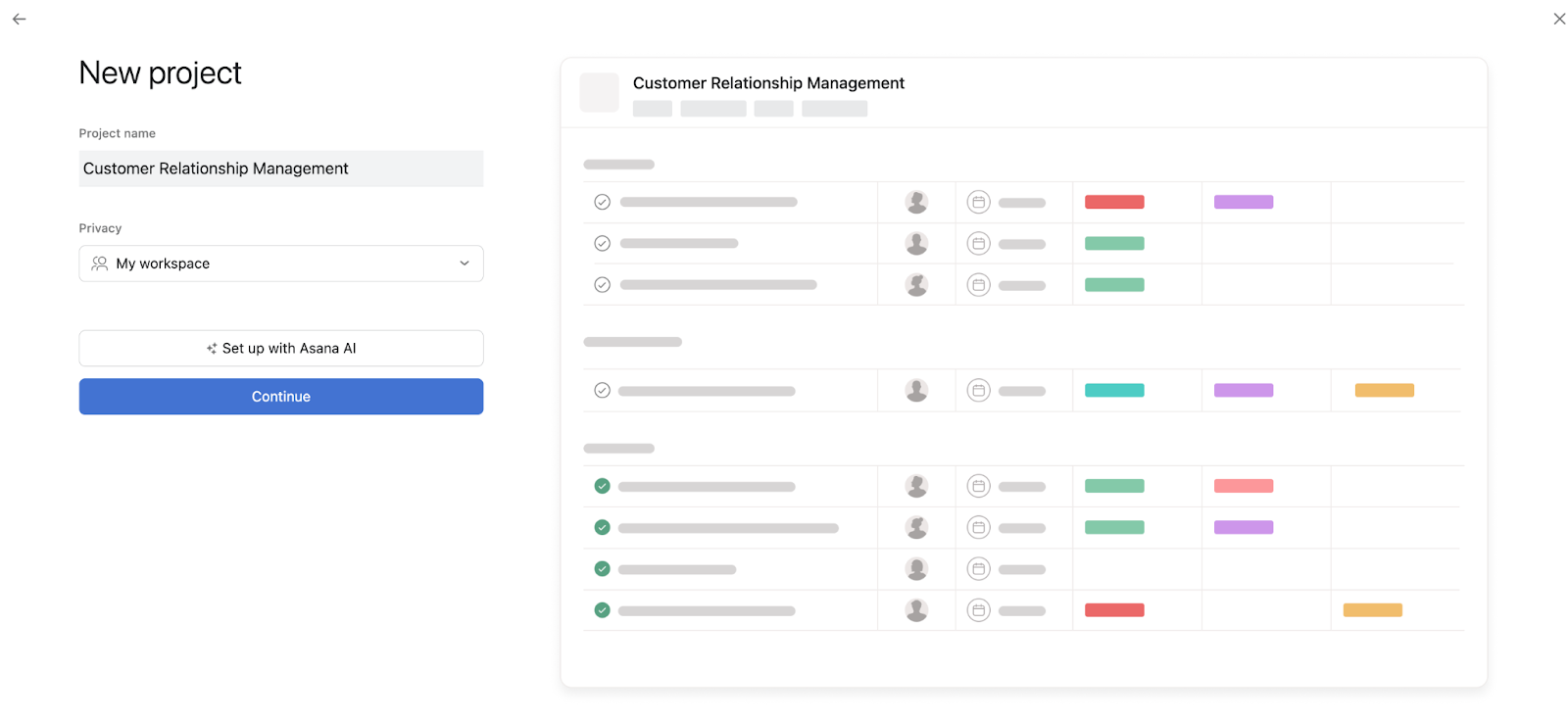
This project will serve as your CRM. Name it something descriptive, like "Customer Relationship Management."
Step 2: Configure Your Project
Choose a list or board view for your project.
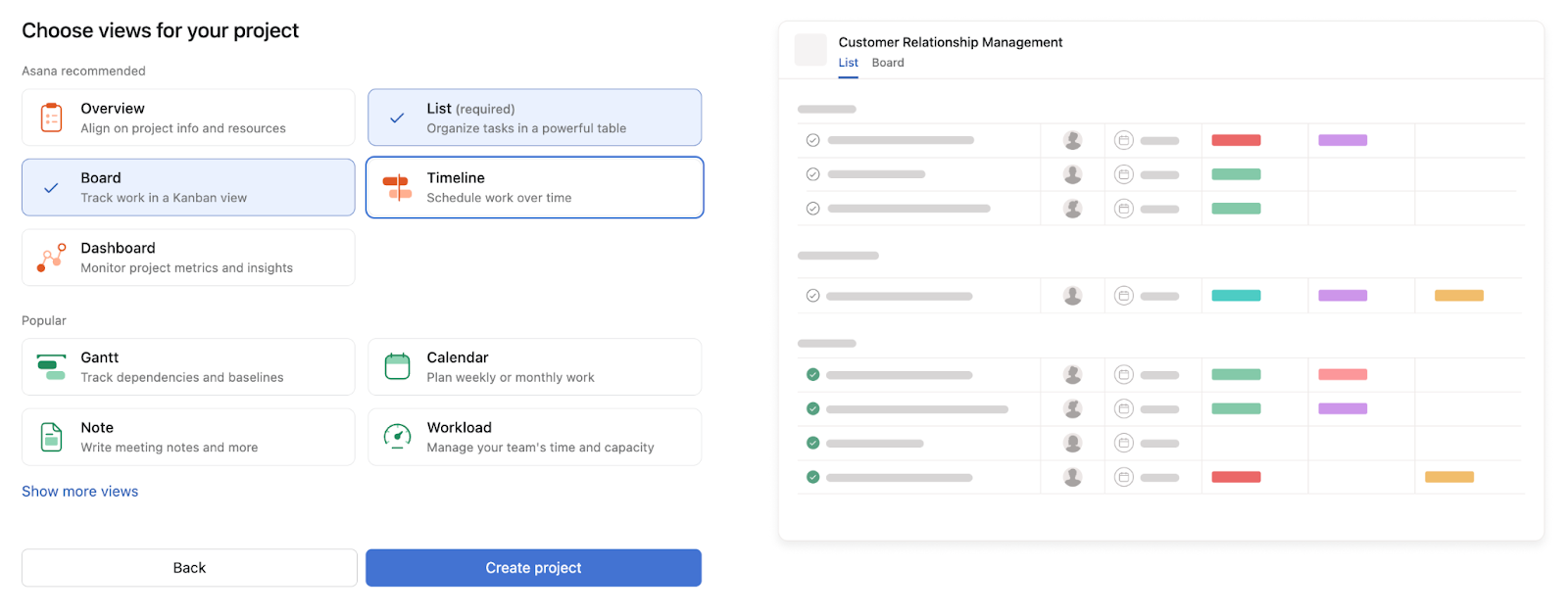
The board view is more visually intuitive, while the list view is more traditional. You can always switch between the two later.
Step #3: Create Task Categories
Each task in Asana can represent a customer or a potential lead.
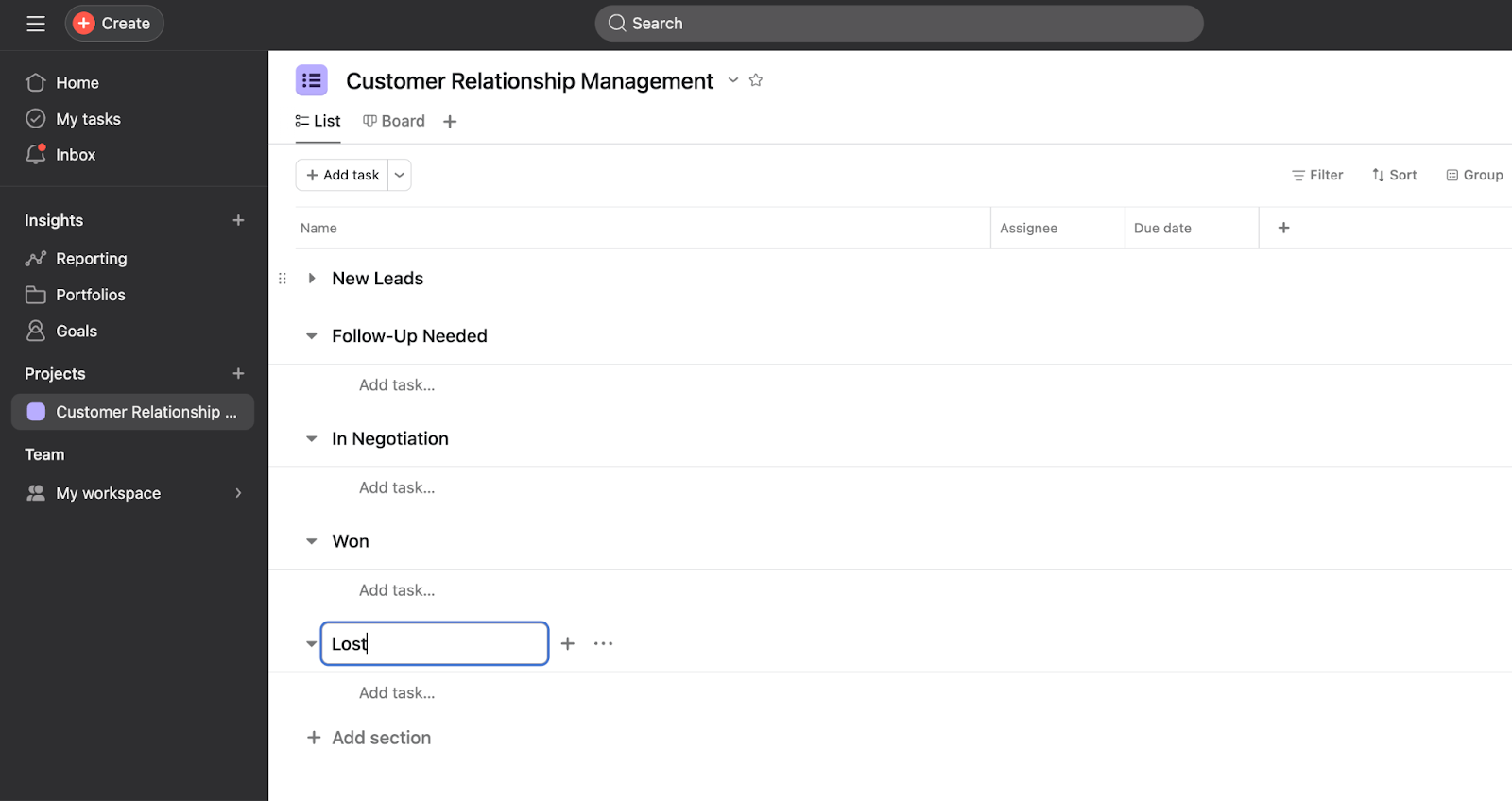
Create sections or columns for each stage of your customer relationship process. For instance, you might have sections for "New Leads," "Follow-Up Needed," "In Negotiation," "Won," and "Lost."
Step #4: Add Tasks
Start adding tasks for each of your customers or leads.
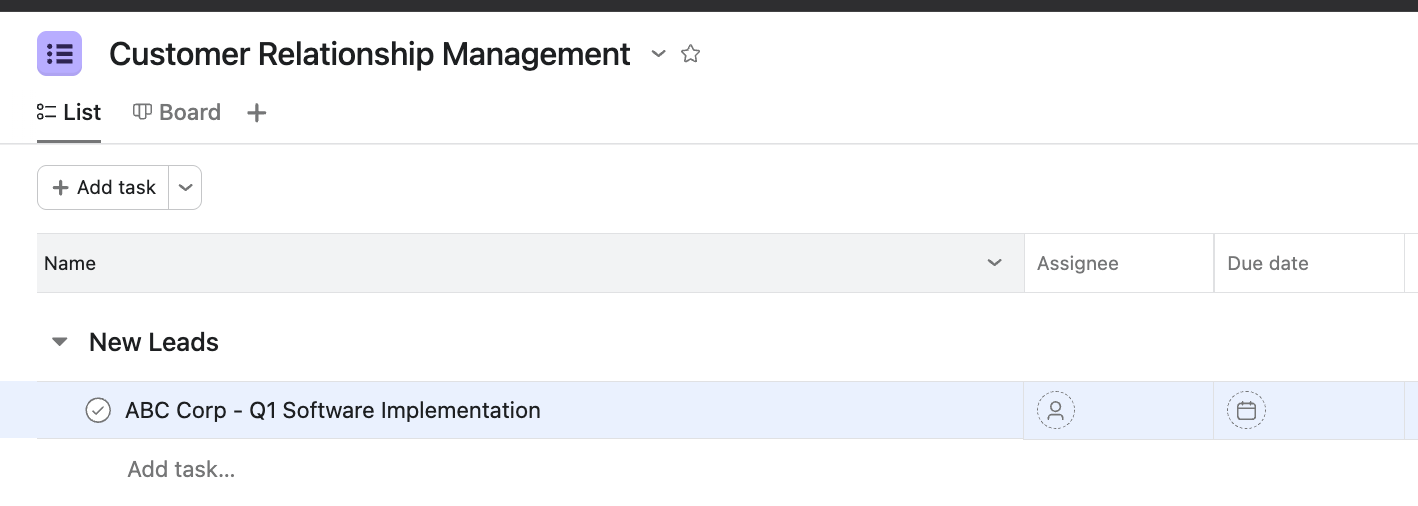
Make sure to include important details in the task description, such as contact information, past communications, and potential deal size.
Use custom fields to add additional information that's relevant to your business.
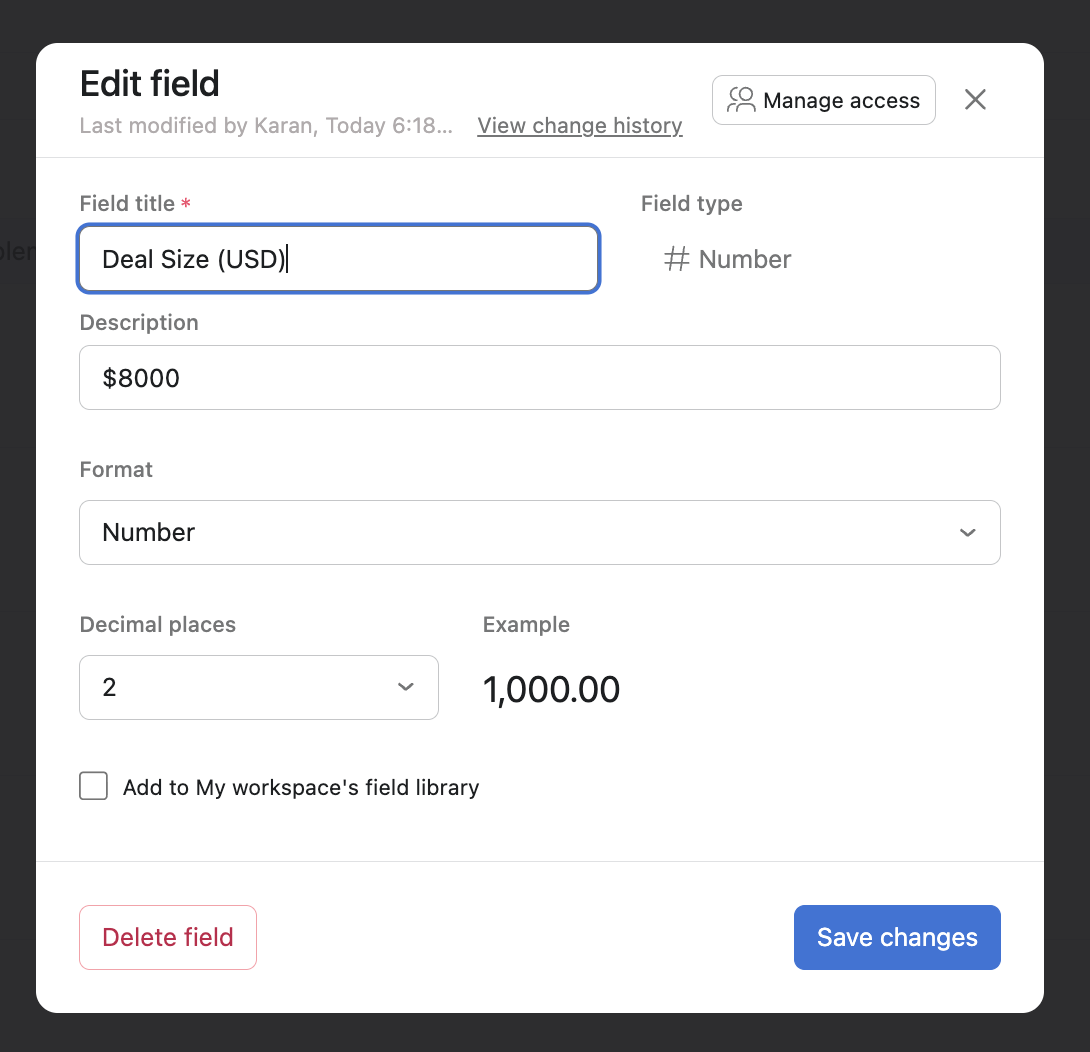
For example, deal size, lead source, etc.
Step #5: Assign Tasks
Assign each task to a team member who's responsible for that particular lead or customer.
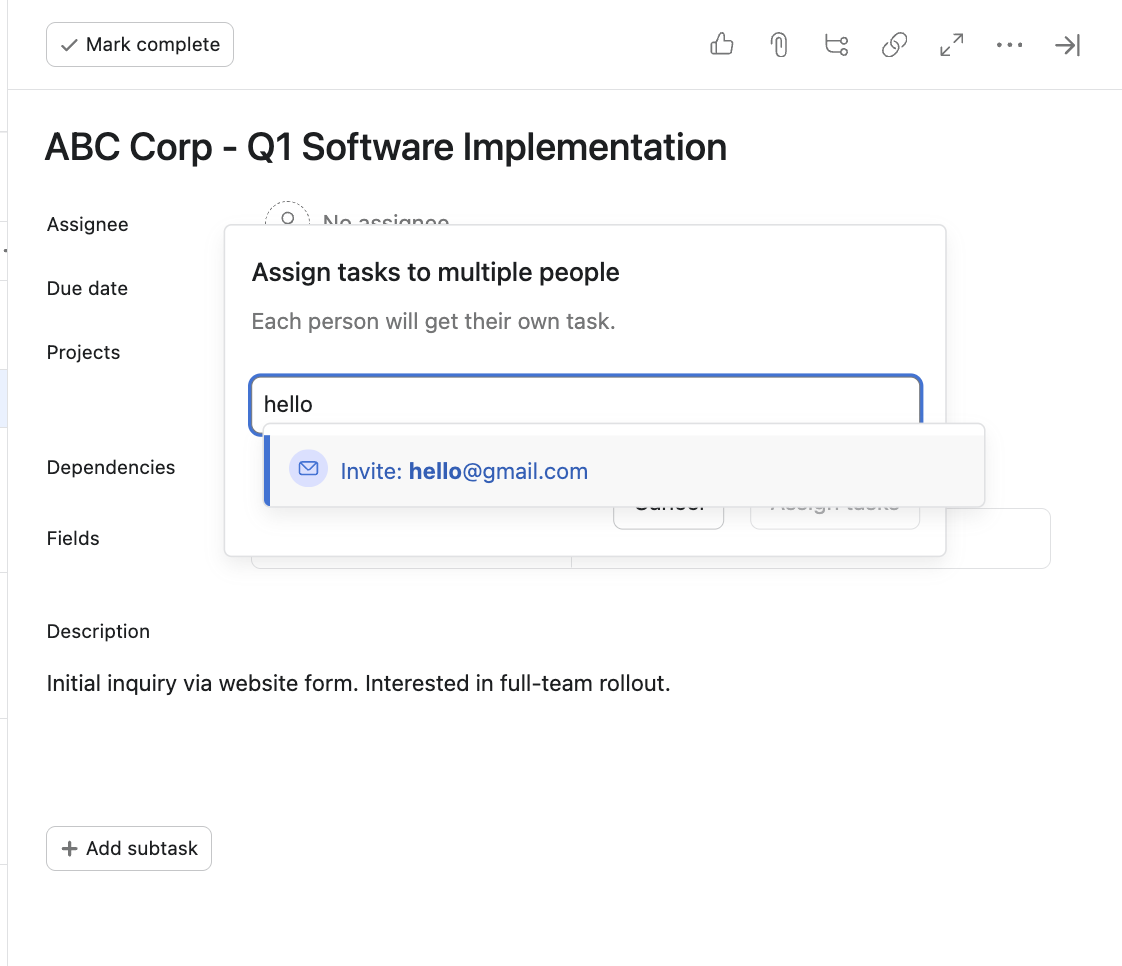
This will ensure that everyone knows their responsibilities and can focus on their assigned leads.
Step #6: Track Progress
To unlock the full potential of Asana as a CRM, leverage its built-in tracking and reporting to monitor the progress of your leads and deals.
Choose from a range of reporting charts to create visual reports that track your total pipeline value and lead distribution.
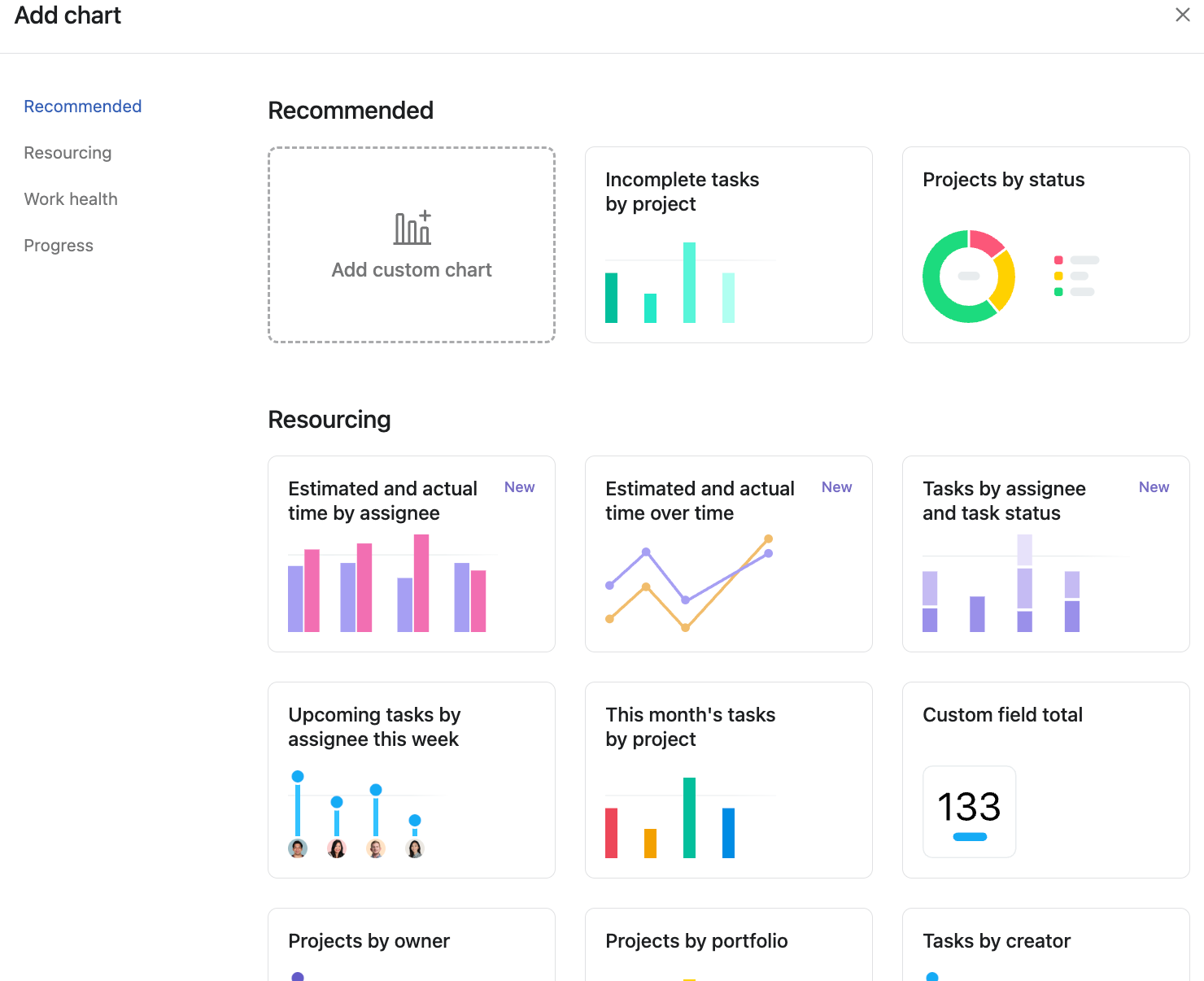
This high-level view allows you to identify bottlenecks in your process, such as leads getting stuck in the "Follow-Up Needed" stage.

Optimizing Workflows in Asana CRM
Building the board is only the first step. To use Asana as a CRM, you must move beyond manual data entry and create a system that proactively pushes deals toward completion.
By reducing work about work, your sales team can spend less time updating statuses and more time engaging with high-value prospects.
High-performing sales teams use Asana’s advanced features to optimize workflows and drive efficiency in lead management.
These tips can help you stay on course.
Automate Lead Assignment and Pipeline Movement
Use Asana's automation feature (Rules) to automate routine tasks. You can create rules that move leads to the next stage of your sales pipeline when a certain action is taken, or automatically assign tasks to team members based on certain triggers. For instance, you might set up a rule that assigns any new lead added to the "New Leads" section to a specific team member responsible for initial outreach. This way, as soon as a lead enters the system, it's already allocated to someone who can start the process, ensuring that no lead gets overlooked.
Standardize Lead Capture with Custom Templates
Asana offers a variety of templates that can help you streamline your workflows.It also allows you to create and customize your own project and task templates for better efficiency. For example, you might use a "New Leads" task template when establishing your CRM project. This template can help you set up a standardized process for handling new leads, ensuring every detail is properly captured and followed up on right from the get-go.
Categorize Deal Urgency with Custom Priority Fields
Use Asana's priority fields and custom fields to prioritize your tasks. This can help you ensure that the most important tasks are always dealt with first, improving efficiency and productivity. For example, create a custom field named 'Priority' with options like 'High', 'Medium', and 'Low'. This helps ensure the most critical tasks are handled first.
Maintain Real-Time Visibility Through Team Collaboration
Asana is designed to facilitate collaboration. Use features like comments, task assignments, and @mentions to keep your team members in the loop and ensure that everyone knows what they need to do.
Remember, the key to optimizing your workflows is to continually review and adjust them based on your needs and the needs of your business. Regularly take time to assess your workflows, identify any areas where you could improve, and make the necessary adjustments.
In conclusion, while Asana may not be a traditional CRM, its flexibility and robust features make it an excellent choice for managing customer relationships. By following the steps outlined in this article, you can create an effective Asana CRM that helps you streamline your processes, improve customer service, and drive business growth.
Ready to use Asana to its fullest potential? We provide expert guidance and support to help you maximize your use of Asana. We also help standardize your team's use of Asana, ensuring consistency and providing training for new team members. Book a call with us today and let's start optimizing your business together!
